

Download ATVO. Free for iRacing broadcasters.
Windows only. Install ATVO through the Appgineering Launcher. It downloads the latest stable release and keeps ATVO up to date. The Theme Editor is included; ATVO Theme 2023 is downloaded on demand through the Launcher and previewed inside ATVO. Subscribe in the shop to remove the watermark and broadcast on air.
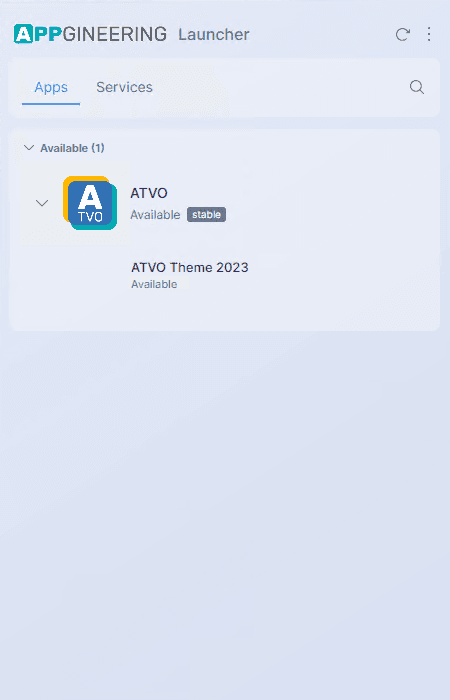
Run the Launcher, pick ATVO from the available apps, and install.
Activate ATVO Theme 2023 or add Live Timing.
Get our flagship broadcast theme or set up cloud-hosted live timing for your viewers. Both are managed from the Appgineering shop.
Open the free ATVO 2020 sample theme and see how a full production theme is built.
A free, editable Theme Editor source for the original ATVO Theme 2020: tickers, animations, scripts and all. Open it in the Theme Editor to learn, remix and build your own from.
System requirements.
Required
- OS
- Windows 10 or 11
- iRacing
- Active subscription
- .NET
- Framework 4.7.2 or later
- Hardware
- Capable of running iRacing with all track cars displayed
Notes
- Older Windows
- Versions below Windows 10 are no longer supported
- Simulator
- iRacing only, no other simulator is supported
- Output
- NDI (via NDI Recorder tool) or window capture
- Multi-PC
- Supported via the built-in Data Tunnel tool
Integrations
- NDI
- Send graphics to OBS or any NDI-capable software
- OBS
- Via OBS NDI plugin, browser source is not supported
- Window capture
- Capture the ATVO Overlay window directly
- Shop
- Themes and Live Timing: appgineering.shop
From download to on-air, in five steps.
- 01
Download the Appgineering Launcher
Grab the Appgineering Launcher from the link above. The Launcher is the only file you need: it is the hub for installing and updating every Appgineering app.
- 02
Run the Launcher and install ATVO
Open the Appgineering Launcher on your Windows PC, find ATVO in the available apps, and click install. The Launcher notifies you about new releases from then on; you trigger updates in the Launcher.
- 03
Connect to iRacing
Start ATVO while iRacing is running. ATVO connects to the iRacing SDK automatically. An active iRacing subscription is required.
- 04
Load a theme
Use the Appgineering Launcher to download ATVO Theme 2023 (or another theme), then preview it inside ATVO. Subscribe in the shop on this website to remove the watermark and use it on air. Or build your own with the Theme Editor.
- 05
Add ATVO to your stream
Use the built-in NDI Recorder tool and add an NDI source in OBS (via the OBS NDI plugin), or capture the ATVO Overlay window directly. Browser source is not supported.
The Appgineering Launcher keeps you current.
There is no fixed installer to track down. The Appgineering Launcher lists every Appgineering app you can install. Pick what you need, and the Launcher keeps each installed app current.
Stuck during install? We're on Discord.
The ATVO community and the Appgineering team are active on Discord: ask questions, share setups, and get help when you need it.